Summary
Just launched a new website? Discover the 10 essential post-launch steps to boost Google rankings, track analytics, generate leads, and turn your site into a revenue driver.
Congratulations! Your new business website is finally finished. The photos look great, your services are listed, your contact information is ready, and you’ve proudly shared the link on social media.
Now what?
This is the point where many small business owners make one of their biggest mistakes: they stop working on it. A website isn’t a project you finish and forget.
Think of launching your website as opening the doors to a new physical store. You wouldn’t open a storefront, turn on the lights, and sit behind the counter hoping someone eventually walks in. You have to help people find it.
Here are ten actionable steps to take immediately after launching your small business website.
1. Make Sure Google Can Find Your Website
Your top priority is ensuring search engines can discover and index your new pages.
- Set Up Google Search Console: This free tool shows how your website performs in search, including which queries generate clicks.
- Submit Your XML Sitemap: Verify that your sitemap is submitted so search engines can crawl every page accurately.
Note: Don’t panic if your site doesn’t immediately rank at the top. Building domain authority takes time. Focus on consistently adding value.
2. Set Up Website Analytics
You need clear data on what visitors do after arriving at your site.
Setting up Google Analytics helps you answer crucial business questions:
- Which marketing channels are driving actual traffic?
- Which service pages attract the most interest?
- Are visitors taking intended actions (filling out forms, calling, booking)?
Start simple: focus on where traffic comes from and which pages turn visitors into prospective clients.
3. Connect to Your Google Business Profile
If you serve a local market, link your new website directly to your Google Business Profile.
Checklist for Local Consistency:
- Website URL & Business Name
- Phone Number & Physical Address
- Exact Business Hours
- Verified Services & Current Photos
A consistent NAP (Name, Address, Phone) across your website and profile is essential for local SEO ranking.
4. Run a Mobile Usability Audit
Most potential customers will experience your business on a smartphone first. Grab your phone and test the live site:
- Is the menu intuitive to navigate?
- Can you tap phone numbers to call instantly?
- Do contact forms submit cleanly without formatting glitches?
- Are buttons large enough for thumb-tapping?
If anything blocks the screen or loads slowly, fix it immediately.
5. Give Every Core Service Its Own Dedicated Page
Avoid dumping every service onto a single broad page. Individual pages give search engines clear context and convert visitors far better.
| Weak Structure | Strong Structure |
| “Services” (One long list) | Website Training (Dedicated Page) |
| SEO Services (Dedicated Page) | |
| Digital Tool Training (Dedicated Page) |
Each service page gives you room to detail your process, answer FAQs, build trust, and set clear next steps for the buyer.
6. Turn Customer Questions into Content
Stop guessing what to blog about. Listen to the exact questions your real clients ask every day:
- “How much does this typically cost?”
- “How long does the project take?”
- “Do you serve my specific area?”
- “What is the difference between Service A and Service B?”
Answering these questions creates immediate search engine context, pre-qualifies incoming leads, and speeds up your sales process.
7. Build an Opt-In Reason to Return
Most first-time visitors aren’t ready to buy immediately. Offer something valuable in exchange for their email address to keep the relationship open:
- Simple Guides or Worksheets: Practical toolkits addressing a single problem.
- Checklists or Assessments: Quick tools to help them evaluate their needs.
- Email Mini-Courses: Short tips delivered over a few days.
Keep lead magnets short, high-value, and directly tied to the core service you want them to buy.
8. Actively Drive Traffic to Specific Pages
Your website will not promote itself. Integrate your URL into every active communication channel:
- Basic Touchpoints: Email signatures, business cards, directory listings, and social profiles.
- Targeted Links: When posting on social media or emailing prospects, link directly to specific service pages or blog answers rather than your homepage.
Social media should guide users toward your owned digital property—your website.
9. Establish a Clear Internal Linking Strategy
As you publish new content, connect relevant pages to guide both human readers and search engine crawlers.
[Blog Article: Biggest Mistakes] ──> [Service Page: Website Training] ──> [Guide: Post-Launch Steps]
Internal links help visitors discover deeper solutions while signaling to Google how your topics interrelate.
10. Establish a Monthly Maintenance Routine
Treat your website like an operational asset. Set aside dedicated time to maintain site health:
Monthly Quick Check:
- Test all contact forms and interactive buttons.
- Audit for broken links or outdated business information.
- Review Google Search Console for new ranking queries.
Quarterly Deep Dive:
- Identify high-traffic vs. underperforming pages.
- Update old content with fresh details and newer testimonials.
- Refresh calls to action based on conversion data.
Don’t Expect Overnight Results—Focus on Systems
Building search authority takes steady execution. Instead of checking daily rankings right after launch, focus on building an active sales engine:
- Search engines introduce your business to users.
- Focused service pages educate and build trust.
- Content answers specific objections.
- Email capture retains interested prospects.
- Strategic calls to action convert visits into inquiries.
What Should You Do First?
If 10 steps feel overwhelming, focus strictly on these four priorities today:
- Install Tracking: Set up Google Search Console and Analytics.
- Refine Service Pages: Ensure each core offering has its own page with a clear Call to Action.
- Verify Local Data: Sync your Google Business Profile details.
- Answer One Question: Publish your first helpful FAQ or blog response.
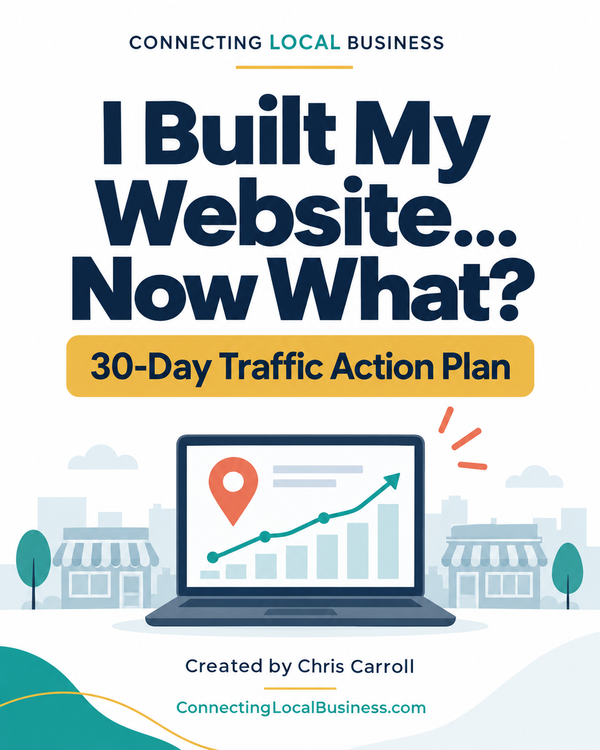
Now Live is the new I Built My Business Website Now What 30-Day Traffic Action Plan
This will make it easy to get started and make it work! Perfect for walking local business owners through exactly what to do during the first 30 days after launching or rebuilding a website.
You Built the Website. Now Make It Work for Your Business.
If your website is live but you aren’t sure how to turn it into a lead generator, you don’t need a redesign—you need a practical strategy.
Through tailored Website Training and SEO Services, I help small business owners manage, optimize, and grow their online presence without technical friction.
Schedule a Strategy Call or Explore SEO Services to turn your new website into a long-term growth tool.