When someone needs a product or service today, where do they usually go first?
Google.
They search for things like:
- “coffee shop near me”
- “best landscaper in Merced”
- “hair salon open now”
- “website designer in Turlock”
The businesses that appear in those search results have a huge advantage.
If your business is not showing up—or not showing up high enough—you are likely missing out on calls, website visits, and customers.
The good news is this:
You do not need to be a large company with a huge marketing budget to improve your visibility online.
Many local businesses can dramatically improve their Google visibility by focusing on a few key areas consistently.
In this post, we’ll walk through practical steps you can take to help your business show up when customers search near you.
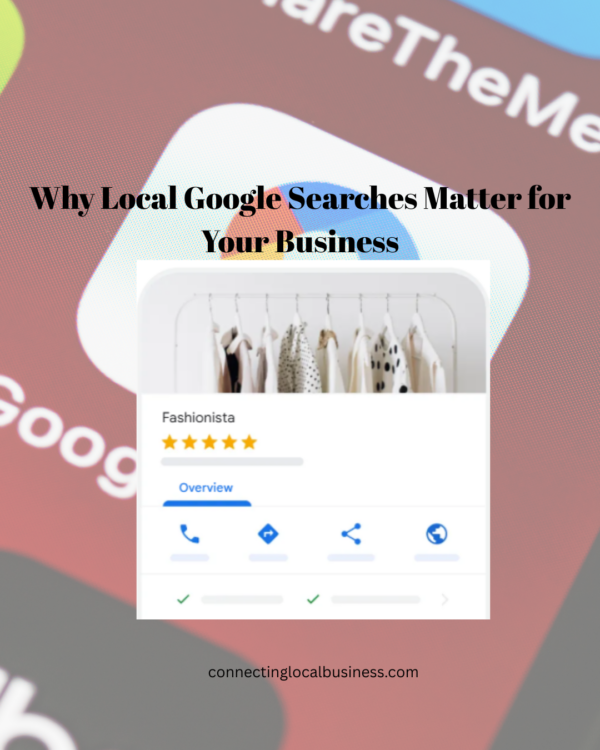
Why Local Google Searches Matter
Local searches are incredibly powerful because they usually come from people who are ready to take action.
When someone searches:
- “dentist near me”
- “pizza in Atwater”
- “best gym in Modesto”
They are often looking to:
- Call now
- Visit today
- Book an appointment
- Compare businesses quickly
That means local search visibility is not just about traffic—it’s about conversions.
Step 1: Claim and Optimize Your Google Business Profile
The first and most important step is setting up and fully optimizing your
Google Business Profile.
Your Google Business Profile is the listing that appears in:
- Google Maps
- Local search results
- The business panel on Google
This profile tells Google:
- Who you are
- What you do
- Where you serve customers
Unfortunately, many small businesses either:
- Never complete their profile
- Leave outdated information
- Ignore important sections
That hurts visibility.
What to Include in Your Profile
Business Name
Use your real business name consistently across the internet.
Do not stuff keywords into the title.
Business Category
This is extremely important.
Choose the category that best matches your primary service.
Examples:
- Landscaping company
- Hair salon
- Marketing consultant
- Photographer
Your category helps Google understand when to show your business.
Service Areas
If you serve multiple cities, list them.
Example:
- Merced
- Atwater
- Turlock
- Modesto
This helps local visibility in surrounding areas.
Business Description
Write a natural description explaining:
- What you do
- Who you help
- Areas you serve
Example:
“We help local small businesses in Stanislaus County improve their online visibility through website optimization, SEO, and digital marketing strategies.”
Include keywords naturally—not excessively.
Hours and Contact Information
Keep this updated at all times.
One of the fastest ways to lose customer trust is through incorrect information online.
Step 2: Add Photos Regularly
Photos matter more than most businesses realize.
Businesses with strong visual profiles often receive:
- More clicks
- More calls
- More direction requests
Google wants active, trustworthy businesses.
Adding photos consistently signals activity.
What Types of Photos Should You Add?
Exterior Photos
Help customers recognize your location.
Interior Photos
Especially important for:
- Restaurants
- Gyms
- Salons
- Retail shops
Team Photos
People connect with people.
Real photos build trust.
Work Examples
Show your actual results.
Examples:
- Landscaping projects
- Before-and-after photos
- Completed installations
- Finished products
Step 3: Get More Customer Reviews
Reviews are one of the biggest local ranking factors.
But they also influence something just as important:
Trust!!
People often compare businesses based on:
- Number of reviews
- Review quality
- How recent they are
How to Get More Reviews
The easiest strategy?
Ask consistently.
Most happy customers will leave a review if you ask.
You can:
- Send a follow-up text
- Email a direct review link
- Ask in person after completing service
Important Tip
Respond to reviews whenever possible.
Even a simple:
“Thank you—we appreciate your support!”
shows activity and professionalism.
Step 4: Make Sure Your Website Supports Local SEO
Your Google Business Profile and website should work together.
Google looks for consistency between them.
Add Location Keywords Naturally
Examples:
- “Website design services in Merced”
- “Local photographer serving Turlock and Atwater”
- “Family-owned business in Modesto”
Do not overdo it.
Write naturally for people first.
Create Service Pages
Instead of listing everything on one page, create individual pages for:
- Services
- Locations
- Major offerings
This helps Google better understand your business.
Step 5: Keep Your Business Information Consistent Everywhere
This is called “NAP consistency.”
NAP stands for:
- Name
- Address
- Phone number
Your information should match across:
- Website
- Google Business Profile
- Yelp
- Directory listings
Even small inconsistencies can confuse search engines and reduce trust.
Step 6: Post Updates to Your Google Business Profile
Many businesses ignore Google Posts.
That’s a mistake.
Posting updates helps show Google that your business is active.
What Can You Post?
- Promotions
- Events
- New products
- Seasonal services
- Helpful tips
- Updates
Even posting once or twice a month is better than never posting at all.
Step 7: Build Local Trust Signals
Google wants to recommend businesses people trust.
Some ways to build trust:
- Local backlinks
- Community involvement
- Sponsorships
- Chamber memberships
- Local partnerships
These signals help strengthen your local presence online.
Common Mistakes That Hurt Local Visibility
Here are a few common problems I see regularly:
- Incomplete Google profiles
- No reviews
- Outdated contact information
- No local keywords on website
- Poor mobile experience
- Inconsistent business information
The good news?
Most of these are easy to fix.
A Simple Local SEO Checklist
Start with these basics:
✔ Claim and optimize your Google Business Profile
✔ Add photos regularly
✔ Ask for reviews consistently
✔ Use local keywords naturally
✔ Keep contact information updated
✔ Make sure your website works on mobile
✔ Post occasional updates to your profile
Consistency matters more than perfection.
Final Thoughts
Showing up on Google is not about tricks or shortcuts.
It’s about helping Google clearly understand:
- What your business does
- Where you’re located
- Why customers trust you
Many small business owners think they need complicated marketing systems to compete online.
Most don’t.
They just need to consistently improve the basics.
Small improvements over time can lead to:
- More calls
- More website traffic
- More leads
- More customers
And most importantly:
More visibility in your local community.
Want a Step-by-Step Local Visibility System?
If you want help improving your:
- Website
- SEO
- Google Business Profile
- Local marketing strategy
I’m developing a practical toolkit specifically for local small business owners.
It’s designed to simplify the process and give you actionable steps you can implement without feeling overwhelmed.
Join the Email List for Local Business-Focused Marketing Tips and notifications when the Toolkit comes out!

Small Business Consultant | Marketing, Website, & Digital Development